logo
Home ProductsPortable Interactive Whiteboard

Ultrasonic Portable Electronic Whiteboard With USB Cable / Wireless Dongle

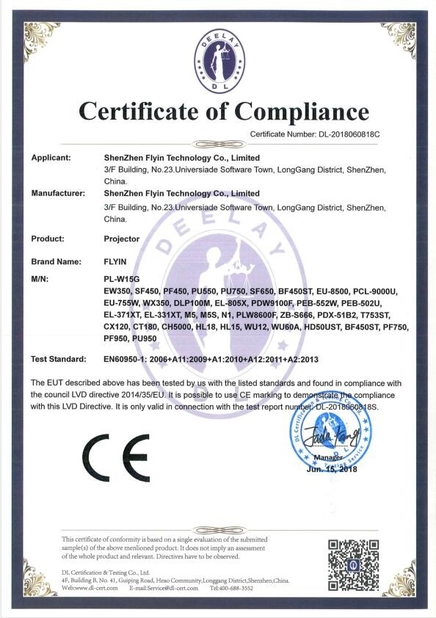
Certification
China Shenzhen Flyin Technology Co.,Limited certification
Customer Reviews
I rarely comment, but this time I had to. I can't spend a lot on a projector and Julia recommended this for me. I received the projector three days after it was shipped and I can't wait to take it apart. It looks even better than the picture. The projection effect is also great. I had a great shopping experience this time, so much thank Julia

—— Madison

SZFLYIN projector is best of quality. It's worth every penny. We use it almost everynight. Picture quality is very best. Vibrant colors and easy-to-adjust angles. We stream everything. Volume and speaker quality are much better than I expected. We projected the film onto our fence, which was 6 feet tall and least 20 feet . This projector is perfect

—— D.VIEW

I'm Online Chat Now

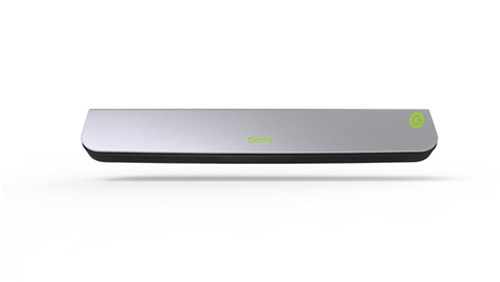
Ultrasonic Portable Electronic Whiteboard With USB Cable / Wireless Dongle

Ultrasonic Portable Electronic Whiteboard With USB Cable / Wireless Dongle
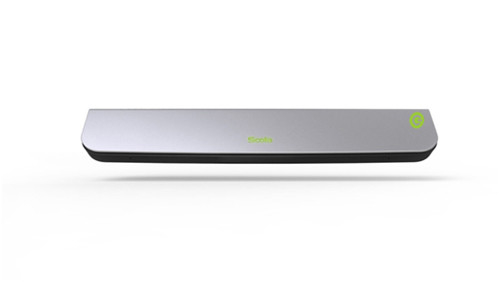
Ultrasonic Portable Electronic Whiteboard With USB Cable / Wireless Dongle Ultrasonic Portable Electronic Whiteboard With USB Cable / Wireless Dongle Ultrasonic Portable Electronic Whiteboard With USB Cable / Wireless Dongle Ultrasonic Portable Electronic Whiteboard With USB Cable / Wireless Dongle

Large Image :  Ultrasonic Portable Electronic Whiteboard With USB Cable / Wireless Dongle

Product Details:
Place of Origin: China
Brand Name: FLYIN/OEM/COSTA
Certification: CE,FCC ,ROHS
Payment & Shipping Terms:
Payment Terms: T/T, Western Union, MoneyGram,Alibaba Trade Assurance

Ultrasonic Portable Electronic Whiteboard With USB Cable / Wireless Dongle

Description
TYP: Ultrasonic Electronic Whiteboard PROTABLE: YES
Weight: 1 Connectivity: USB Cable Or Wireless Dongle
Work Area:: 3m * 1.5m PC Systems: Windows、MAC、Linux、Android、Chrome OS
Highlight:

Ultrasonic Portable Electronic Whiteboard

,

Interactive Portable Electronic Whiteboard

,

Ultrasonic Portable Interactive Whiteboard

Ultrasonic Portable Electronic Whiteboard With USB Cable / Wireless Dongle
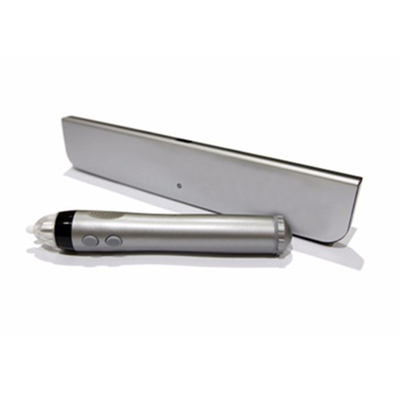
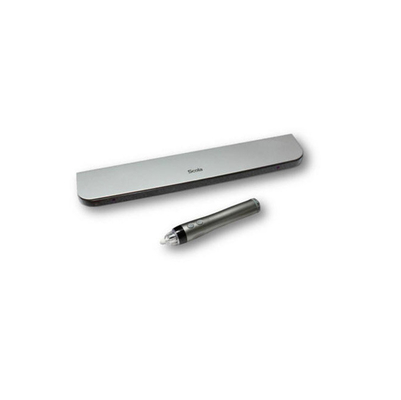
Portable ultrasonic electronic whiteboard - A versatile interactive solution for presentations and collaborative work sessions.
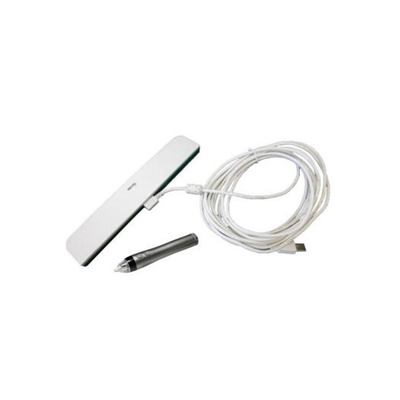
Product Composition
  • Interactive Stylus
  • Stylus tips
  • Key 1: Left mouse button
  • Key 2: Right mouse button
  • EWB Sensor
  • Wireless Dongle
  • Power Adapter (optional)
EWB Sensor Features
EWB Sensor can be placed in any position around the writing board. Calibration operation is required after first use or change of installation position.
Internal batteries are charged by connecting a USB cable to a computer or to a power adapter.
Wireless Dongle
Connect computer USB interface to receive data sent by EWB Sensor.
Connectivity
USB cable or wireless dongle
Specifications
Component Specifications
Interactive Stylus Battery: 1 AA 1.5V battery or 1 AA 1.2V rechargeable battery or 1 AA 3.6V rechargeable battery
Battery life: 30-60 hours
Dimensions: 152mm × 25mm
Weight: 50g
EWB Sensor PC Systems: Windows, MAC, Linux, Android, Chrome OS
Work area: 3m × 1.5m
Power: USB or Internal battery
Battery life: 3 hour charge time for 5 hours
Dimensions: 227mm × 43mm × 11mm
Weight: 85g
Power Consumption: 0.5W
Tracking Technology: Ultrasound
Wireless Technology: BT
Wireless Power: < 10mw
Operating Temperature: 10°C - 35°C
Wireless Dongle PC Systems: Windows, MAC, Linux, Android, Chrome OS
Wireless Power: < 10mw
Power Adapter INPUT: AC100-240V, 50/60HZ, 0.5A
OUTPUT: DC 5V ≥500mA
Operation
Turn On: Long press power sign in upper left corner to turn on.
Turn Off: On-state, press the power sign in the upper left corner to turn off (automatically shuts down after 30 minutes of non-operation).
Calibration: Required when the position of EWB Sensor, the position and area of projector change for the first time.
Calibration Procedure:
  • Turn EWB Sensor on and connect to the computer via USB or wireless
  • Press the Stylus key 2 for more than 3 seconds in a 2 cm radius semicircle near the center of the EWB Sensor front end
  • Hear a buzzer sound indicating entry into calibration mode
  • Pointer on screen jumps to position of first calibration point
  • Click on calibration point with tip of stylus
  • If calibration point succeeds, hear a click and pointer jumps to next calibration point
  • When all nine calibration points pass, three clicks indicate successful calibration
To exit calibration: Hold down key 1 of stylus for more than 2 seconds (hear two short sounds).
Calibration mode automatically exits after 30 seconds of non-operation (two short sounds).
Indicator Status Light
  • Light off: Power off
  • Red light: Wireless connected
  • Red light flashing: Low battery
  • Green light: Normal writing
  • Green light flashing: Battery charging
  • Orange light: Not connected to PC
Package Contents
  • 1 Interactive Stylus
  • 1 EWB Sensor
  • 1 Wireless Dongle
  • 1 USB Cable for Charge
  • 1 Mounting plate
  • 1 Adhesive strip
  • 5 Stylus tips
Note: Package does not include Power Adapter. Charging can be done via computer USB interface.

Contact Details
Shenzhen Flyin Technology Co.,Limited

Contact Person: Mr. PingQuan Ho

Tel: 86-18038098051

Send your inquiry directly to us (0 / 3000)